




Minecraft Classic Online
Minecraft Classic is Mojang's 0.0.23a_01-style creative sandbox recreation: 32 blocks, finite worlds, old quirks, and pure building nostalgia.
The 0.0.23a_01 Time Capsule
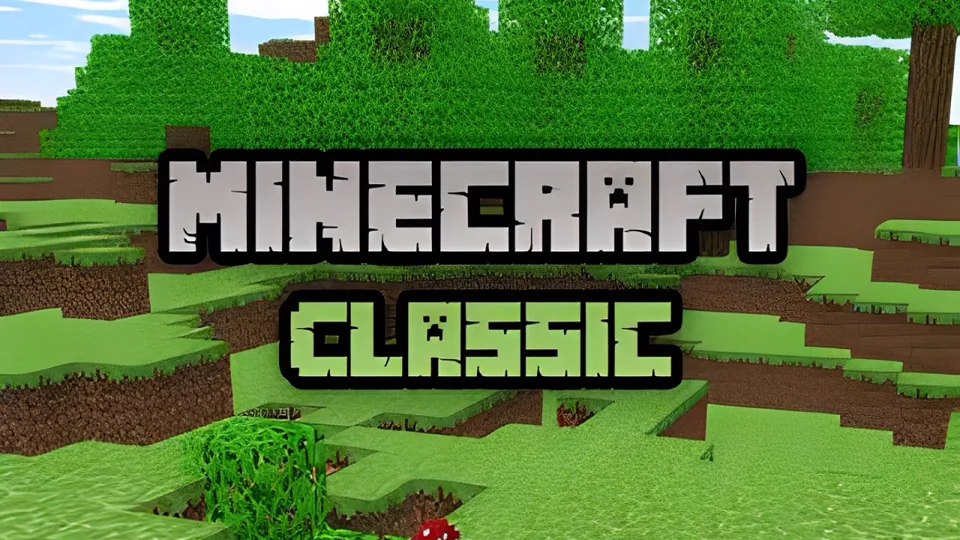
Minecraft Classic is Mojang's 2019 tenth-anniversary return to the early 2009 creative sandbox, specifically the spirit of Java Edition Classic 0.0.23a_01. It is not a light version of modern Minecraft, and it is not a survival shortcut with newer systems removed. It is closer to a preserved design snapshot: original-style creative mode, a tiny block vocabulary, rough edges left intact, and the old pleasure of shaping a small cubic world by hand.
That historical context matters because Minecraft Classic makes the franchise feel smaller, stranger, and clearer. There is no hunger loop, armor grind, Nether route, village trading, enchanting table, redstone machine, advancement checklist, biome-hunting plan, or survival-night drama. The center is simply block placement. Pick a material, place it, remove mistakes, step back, and decide whether the shape now reads better than it did a minute ago.
The anniversary release also highlights how strong the original idea already was. Many games need progression systems to hold attention. Minecraft Classic can stay interesting with almost nothing except cubes, terrain, and imagination. The absence of modern layers exposes the central design truth: Minecraft became enormous because the basic verb of changing the world was satisfying before the game was enormous.
Minecraft Classic can feel both old and slightly unfamiliar because it preserves the early terrain logic and creative identity without reproducing every rough edge exactly. The block set, scale, and rules belong to the earliest era, while some menus, lighting, saving behavior, and presentation details feel like a later anniversary reconstruction. Treat that mixture as part of the time-capsule texture: old limits, cleaner access, and the same simple urge to reshape terrain.
The 32-Block Constraint
The defining number is 32. Minecraft Classic gives you a 32-block palette, not the massive catalogue that later Java and Bedrock players know. That restriction changes the way good builds work. Modern Minecraft can rescue a weak structure with stairs, slabs, trapdoors, banners, glass panes, lighting tricks, vegetation, and dozens of texture variants. Classic makes you rely on footprint, silhouette, contrast, rhythm, and scale.
A small hut becomes an exercise in proportion. A bridge becomes an exercise in repeated support shapes. A tower becomes an exercise in width, height, and a readable crown. A courtyard becomes an exercise in negative space. Pixel art becomes an exercise in clean color blocking. Because there are no partial blocks, every structure is blunt. That bluntness is not a flaw; it is the visual language of early Minecraft.
The narrow palette also makes material choice more meaningful. Use strong contrast for entrances, corners, windows, signs, and path edges. Use related blocks for subtle wall variation. Keep noisy combinations under control. When every block is a full cube, too many competing materials make a build look accidental. The best Classic builds often look almost primitive at first, then reveal discipline through repetition and clear shape.
World scale reinforces the same lesson. Classic worlds are finite and low compared with modern Minecraft, with old-style terrain made from hills, surface water, simple caves, grass, dirt, stone, sand, gravel, trees, and bedrock. Some references describe small, normal, and huge world sizes, all with a low height limit by modern standards. That boundary is not just a technical relic. It changes composition. A tower does not need to compete with mountains reaching the clouds; it only needs to dominate a modest early landscape.
Creative Mode Before Systems Took Over
Minecraft Classic is pure creative play. You do not begin by punching trees, crafting tools, cooking food, or hiding from monsters. The construction vocabulary is already available, and the session only needs a chosen idea. Before Minecraft became a layered adventure, it was already a world editor with personality: limited blocks, readable terrain, simple placement, quick removal, and enough constraints to make small structures feel intentional.
The loop is direct:
The lack of objectives can feel empty if you expect the game to tell you what matters. It works better when you decide the assignment yourself. Build a watchtower beside water. Carve a hill base. Mark a road through a valley. Make a small fort, a block-letter sign, a bridge, or a square town center. A clear project turns the old toolset from a limitation into a rule set.
Classic also teaches a different pace of building. Modern Minecraft often asks players to gather, automate, decorate, light, defend, and optimize. Classic asks for one clean decision at a time. Where does the wall go? How wide is the doorway? Does the roof need a second layer? Is the tower too thin? Is the road readable from above? Because the system is small, design mistakes are visible quickly. That makes it a useful training ground for spatial judgment.
Key Highlights
- Move through the small early-world terrain.
- Choose a block from the limited palette.
- Place blocks to define a structure.
- Remove mistakes quickly.
- Use hills, water, caves, and flat land as part of the design.
- Finish compact builds instead of chasing huge modern projects.
Controls, Saving, and Old Quirks
Classic is meant for keyboard-and-mouse play. Movement follows the familiar WASD pattern, with the mouse used to look and aim. Number keys help select hotbar blocks quickly, and the block menu lets you reach the rest of the small palette. The usual rhythm is simple: choose material, place, remove, and repeat until the form works. Some Classic references also preserve old utility keys such as chat, saved locations, fog adjustment, and block selection menus, which reinforces how different the early interface feels from modern Minecraft.
The roughness is part of the identity. The interface is plain, the worlds are limited, the textures are old, and the bugs are not hidden behind modern polish. Treat those details as museum texture rather than defects. If a roof piece does not exist, solve the roof with larger shapes. If the terrain feels sparse, make the build respond to the terrain. Classic rewards acceptance more than optimization.
Building Ideas For Classic
Small, readable projects are the best starting point. A hut should have a clean footprint, a visible doorway, and a roofline that can be understood from a distance. A tower should have a strong base, a simple shaft, and a distinct top shape. A bridge should repeat supports and make the crossing obvious. A courtyard should use walls, floor contrast, and open space. Pixel art should start from a grid plan before blocks are placed.
Terrain should do some of the work. Build bases into hills. Span water with bridges. Use flat patches for plazas. Put towers on high ground so height feels earned. Classic worlds do not provide the spectacular modern biome variety, but that simpler terrain helps compositions stay legible. A good build belongs to its immediate surroundings instead of floating as a disconnected block pile.
Restraint matters. It is tempting to use every available material because the palette is small, but better builds usually use fewer blocks with clearer roles. Pick one main wall block, one trim block, one floor block, and one accent block. Repeat them until the structure has a visual rule. If you need detail, add it through spacing, doorway placement, roof shape, and silhouette before adding more colors.
A strong Classic build usually succeeds through scale, symmetry, contrast, or terrain. Make the shape large enough to read, mirror important parts, use darker blocks for frames and openings, and let hills, waterlines, or cave mouths carry some of the storytelling.
The best beginner exercise is a three-building settlement. Make one hut, one tower, and one bridge or road. Connect them with a path. Then add a wall or courtyard only if the first three forms read clearly. This forces the player to solve footprint, verticality, and circulation with the 32-block palette. It also avoids the common Classic mistake of starting a huge build that becomes a flat rectangle before any idea appears.
Why Classic Still Has Value
Minecraft Classic is best for creative history, quick block-building, nostalgia, classroom-style spatial thinking, and understanding why the franchise worked before it became a full survival platform. It is not best for combat, automation, resource progression, farming, enchanting, bosses, deep exploration, or long-term world development. Those belong to later Minecraft.
The right goal is not to recreate a modern mega-base with fewer tools. The right goal is to make a structure that reads clearly despite the old limits. Build a hut that looks like shelter. Build a bridge that explains its span. Build a tower with a silhouette. Build a tiny settlement where roads and walls make sense. When that works, Minecraft Classic proves something important: a game can feel huge before it technically is huge, as long as its core interaction makes the player want to shape the world.