
Eaglercraft Game Online
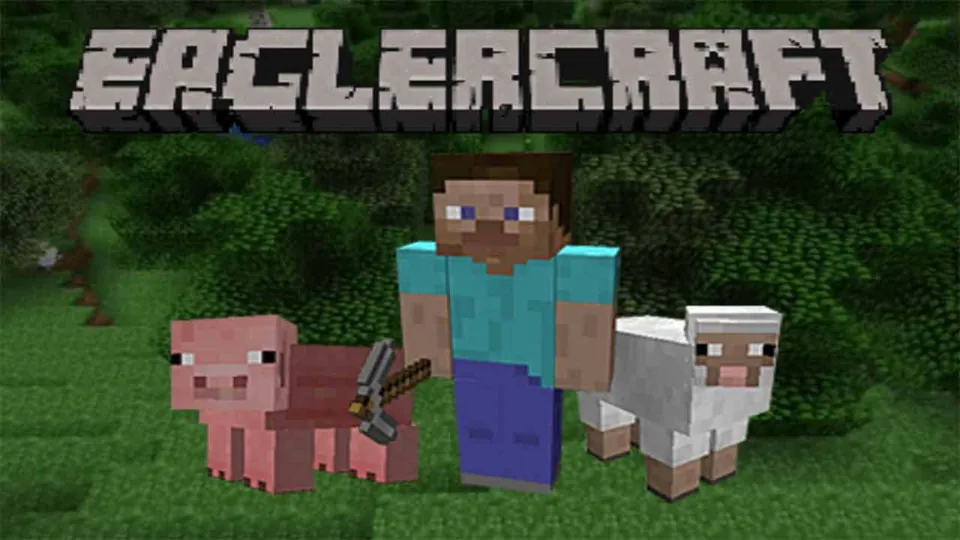
Eaglercraft Game is the Minecraft-style entry point for mining, crafting, building, survival worlds, version choice, singleplayer, and server play.
Eaglercraft Version Hub
Eaglercraft Game is the broad starting point for Minecraft-style play through the Eaglercraft ecosystem. It is not tied to one narrow branch in the way Eaglercraft 1.5.2, Eaglercraft 1.8.8, or Eaglecraft 1.12.2 U2 are. It is better understood as the general doorway into the shared block sandbox: mine resources, craft tools, build shelters, test Creative ideas, survive the first night, explore servers, and decide which version has the right feel for the session.
The value of Eaglercraft is that the familiar Minecraft loop becomes practical in a lighter, portable form. That changes what a session can be: quick Creative testing, Chromebook-friendly play, local worlds, multiplayer servers, Shared Worlds, resource packs, and version switching. The important question is not how the branch is carried, but which version feel best matches the run you want.
Eaglercraft Game is the broad entry before a run narrows into a specific branch. Creative building, first-night Survival, server PvP, casual Chromebook play, Shared Worlds, and older-version survival all pull the same block-game vocabulary in different directions.
That sorting is the real purpose of the general entry. Old survival rhythm depends on terrain, tools, food, torches, and whether the world format can be backed up. 1.8-style PvP depends on sprint timing, bow pressure, block placement, hotbar speed, and server compatibility. A shared private world depends on join codes, voice chat settings, and whether friends are entering the same version branch. Those are different decisions, even though they all start from the same block-game vocabulary.
Mining, Crafting, Creative, Servers
The controls follow the Minecraft pattern most players expect. WASD moves, Space jumps, the mouse controls view, left click breaks blocks or attacks, right click places blocks or uses items, and the inventory turns gathered materials into tools, blocks, food, and equipment. The hotbar matters because the game rewards fast switching between tools, blocks, weapons, and food.
The first Survival minutes are simple but important. Gather wood because planks, sticks, and a crafting table unlock the first meaningful decisions. Build wooden tools, then upgrade to stone tools so mining and shelter work become faster. Find food before traveling too far. Make torches if coal is available. Build or carve a shelter before night pressure becomes dangerous. Mark the spawn area so exploration does not turn into getting lost.
Creative mode removes that pressure and turns the same control scheme into a building tool. Creative works for learning placement, testing materials, trying roof shapes, building towers, experimenting with redstone ideas, or checking how a world feels before playing it in Survival. It is also a clean first stop before a branch decision becomes permanent.
Multiplayer changes the purpose of the game. A public server can focus on PvP, minigames, survival communities, or custom rules. Server compatibility is a real part of the experience because each branch expects the right rules and connection path. A server that supports the right branch can feel smooth and familiar; a mismatched server will create problems no amount of building skill can fix.
Singleplayer and world storage are also part of the decision. EaglercraftX 1.8-style builds can support integrated singleplayer, local world saving, EPK import and export, and vanilla 1.8 ZIP transfer. Those features are important if the world is more than a quick test. A player building a serious base should think about backups early rather than after local data gets cleared.
Shared Worlds create a middle path between solo play and public servers. A singleplayer world can be opened to friends through a join code, with host-controlled options for the joining players. This supports small-group building or survival without choosing a public server. It is also one of the clearest reasons to understand the EaglercraftX feature set instead of treating all Eaglercraft entries as identical.
Resource packs matter for players who care about presentation. EaglercraftX 1.8 can import vanilla 1.8 resource packs as ZIP files and save them locally. That can restore a preferred look, improve readability, or make an older map feel closer to how the player remembers it. Resource packs are optional, but they make longer sessions feel more personal.
World format matters more than many new players expect. EPK files are part of the Eaglercraft habit, and different subtypes can correspond to different version families, such as older 1.5.2 worlds and EaglercraftX 1.8.8 worlds. That means backup is not only about saving a file; it is about remembering which branch created it. A world that feels important should be exported with its version context in mind, especially before moving it into another build or trying a vanilla ZIP workflow.
Server play has its own branch boundary. A server list, version label, and connection method matter as much as the world theme. A beautiful server that does not match the selected Eaglercraft branch is still the wrong target.
Version Choice
Eaglercraft 1.5.2 is the classic lightweight route: simpler branch behavior, lower feature expectations, and a more stripped-down Minecraft feel. Its center is basic survival and block building rather than modern EaglercraftX extras.
Eaglercraft 1.8.8 is the stronger choice for classic PvP, server play, Shared Worlds, local world management, resource packs, and a more complete EaglercraftX experience. Players interested in hotbar discipline, sprinting, bow pressure, block placement during fights, and 1.8-era servers should usually start there.
Voice chat belongs in the same decision. In EaglercraftX-style play, voice can appear in Shared Worlds and servers when the feature is enabled. It is not essential for building a house or surviving the first night, but it changes team play. A small group mining together can coordinate caves and food. A PvP group can call positions. A builder pair can discuss materials without stopping movement. If the goal is social play, version choice is not only about blocks and mobs; it is about communication tools too.
Eaglercraft Unblocked is a practical access-oriented branch for quick Creative or Survival starts, but the gameplay should still be evaluated through the same Minecraft-style lens: controls, world saving, Creative building, Survival progression, and server compatibility. The name matters less than whether the selected build supports the intended session.
Paper Minecraft is the nearby 2D Scratch-style remix instead of a full 3D Eaglercraft branch. It keeps mining, crafting, survival, and Creative ideas, but changes the format completely. Performance, simplicity, and side-view structure become the main tradeoffs against full first-person play.
Other voxel games such as Voxiom, MineFun, MiniBlox, and Burrito Craft shift the formula in different directions. Voxiom leans into shooter combat and destructible maps. MineFun and MiniBlox lean into online block-game modes. Burrito Craft leans into lightweight creative sandbox building. Eaglercraft Game sits at the center because it keeps the Minecraft-style branch choice open.
Version choice also affects muscle memory. A player who spends time in 1.5.2 learns an older survival cadence and a simpler feature set. A player who spends time in 1.8.8 learns PvP timing, server expectations, resource-pack habits, and Shared Worlds options. Switching between them is possible, but the feel is not identical. Treat each branch as a ruleset, not as a skin.
Choosing the First Session
Start with one clear purpose. If the goal is to learn controls, use Creative. If the goal is a real Survival run, gather wood, food, shelter, and torches first. If the goal is multiplayer, pick a version that matches the server. If the goal is a long build, learn export options before the world becomes important.
Keep settings conservative on weaker devices. Render distance, shaders, resource packs, and crowded servers can make a lightweight session feel heavy. Start simple, then increase visual settings only after movement and input feel stable.
Back up worlds that matter. Local storage is convenient, but an export is the safer habit. Use EPK files for Eaglercraft worlds and ZIP transfers when working with vanilla 1.8-style maps. Keep the version label with the backup so the world does not become a mystery file later. A world worth building is a world worth saving.
For a Survival start, keep the first shelter boring and reliable. Wood, stone, food, torches, a crafting table, a furnace, and a visible marker near spawn matter more than decoration. For Creative, build a small palette test before committing to a large structure. For multiplayer, join slowly: confirm movement, latency, chat, server rules, and whether PvP is active before carrying important items far from spawn. Good Eaglercraft play is mostly ordinary Minecraft discipline, but with extra attention to branch, storage, and connection details.