



Eaglecraft X Online
Eaglecraft X is an EaglercraftX-style block sandbox entry built around 1.8-era survival, local worlds, resource packs, shared worlds, and server-ready play.
EaglercraftX-Style 1.8 Sandbox
Eaglecraft X represents the EaglercraftX-style side of block sandbox play. Its expectation is different from older classic branches: 1.8-like movement habits, singleplayer survival, shared-world experiments, resource-pack testing, server-oriented play, and stronger multiplayer readiness.
The useful way to read Eaglecraft X is as a Minecraft-like sandbox where survival, Creative building, local worlds, local saved data, and multiplayer-style controls are the main reasons to play. It should not be treated as a generic cube toy. The X label points toward the more capable EaglercraftX 1.8 family, where the game is as much about version behavior as it is about placing blocks.
EaglercraftX 1.8 adds a feature set that matters during play: integrated singleplayer, worlds saved locally, EPK import/export, ZIP import/export for vanilla 1.8 worlds, Shared Worlds with join codes, vanilla 1.8 resource-pack imports, optional voice chat, mobile touch mode, and advanced visual options on capable devices.
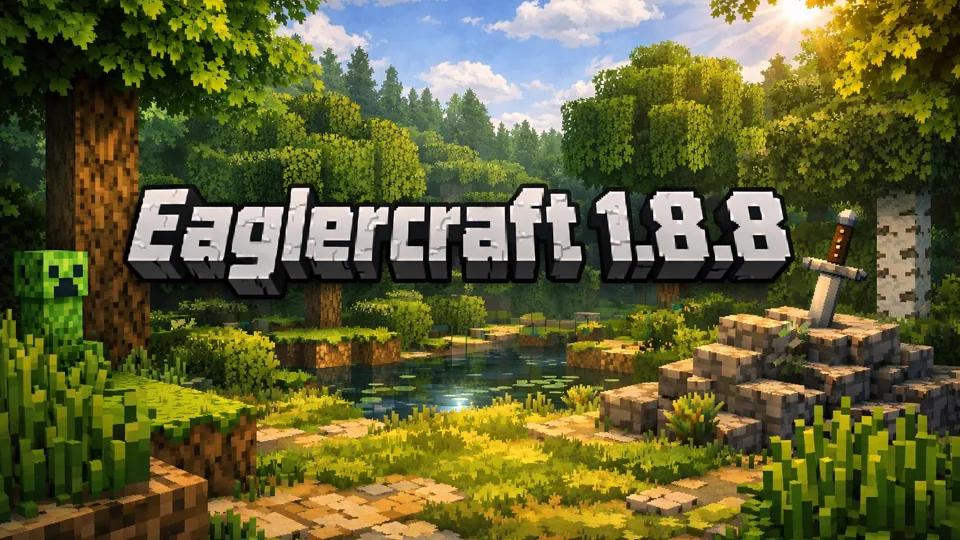
The 1.8 identity is important because it is not just a technical label. Java Edition 1.8, the Bountiful Update, added a broad mix of survival and mapmaking features, including new building materials such as granite, diorite, and andesite, plus decorative and utility objects such as banners, armor stands, slime blocks, prismarine blocks, rabbits, mutton, and new ocean-monument-era materials. Eaglecraft X inherits the expectation that this version has more building vocabulary and survival variety than older Alpha or 1.5-style branches.
Survival, Shared Worlds, Resource Packs
Eaglecraft X keeps the block-game loop intact. Gather wood, turn early resources into tools, improve your shelter, and use the world as a chain of small decisions. In Creative-style play, the same controls become a building workspace where blocks, terrain, and simple structures can be tested quickly. In multiplayer or Shared World sessions, the same movement and inventory habits become coordination tools: you need predictable hotbar switching, clear roles, and a shared understanding of whether the world is a private build, a survival group, or a public fight.
Singleplayer is the safest first test. Worlds can persist in local storage and remain available on the same device. That is convenient, but it also means players should think about backups: clearing local data or switching devices can affect access unless you export the world. EPK files are the EaglercraftX-focused transfer format, while ZIP import/export helps with vanilla 1.8 worlds when the build supports it.
Shared Worlds are the next major distinction. Instead of only joining public servers, EaglercraftX can let a player invite others into a singleplayer world using a join code, with relay settings handling discovery and connection. That does not make every network equally cooperative, but it explains why Eaglecraft X is more than an isolated survival build. It is designed around the idea that a lightweight world can still become social play.
Shared play works best when the host treats the world like a small server for the session. Decide the game mode before inviting friends. Check whether cheats are allowed. Make the first base easy to find from spawn, then give new players a clear role: gather wood, mine stone, scout food, light caves, or mark a route. Join codes solve the invitation step, but they do not replace planning. A chaotic Shared World becomes harder to recover when players scatter before storage, beds, food, and torches are stable.
Resource packs are another reason to choose Eaglecraft X. EaglercraftX 1.8 can import vanilla Minecraft 1.8 resource packs as ZIP files and keep them available between sessions. This makes Eaglecraft X useful for visual testing, texture-pack nostalgia, and screenshots. Advanced visual extras should still be added carefully because heavy lighting or material effects can make the world harder to run smoothly.
For pack testing, separate style packs from performance features. A vanilla 1.8 texture pack that changes blocks and items is a different risk from a pack that relies on shader components, music, or heavier visual material. Test the base resource pack first, then add dynamic lighting, PBR material packs, or larger audio resources only after the world feels stable. If the world starts to feel heavy, the useful question is not whether Eaglecraft X works; it is which visual layer should be simplified first.
The 1.8-style feel also changes combat and movement expectations. Sprinting, hunger pacing, hotbar discipline, bow timing, block placement under pressure, and server-style camera control matter more than they do in older classic branches. Slow building still belongs in Creative or singleplayer survival, but Eaglecraft X becomes more interesting as a practice space for the habits that carry into minigames, shared worlds, and public server fights.
That makes the first fifteen minutes different from Alpha-style play. You are still punching trees and building shelter, but you are also deciding how mobile you want to be, how much food you need for sprinting, whether the hotbar is arranged for quick block placement, and whether a bow or building blocks should sit near the weapon slot. Even in survival, the version rewards preparation for faster reactions.
Key Highlights
- Use Survival for a concrete first target: tools, coal, food, and a safe shelter.
- Use Creative to test architecture, terrain edits, or a resource-pack visual setup.
- If multiplayer is available, begin with a small shared task before committing to PvP or a long survival route.
- Confirm local save behavior before investing in a long singleplayer world.
- Use EPK or ZIP import/export features only after checking the current build's menus.
- Test resource packs one at a time because storage limits and visual extras can vary by device.
Position Inside the Eaglercraft Family
Eaglecraft X is more than a generic Minecraft clone: it is a lightweight sandbox shaped around familiar Java-style play, worlds, servers, resource packs, and shared play. Its identity comes from version-aware sandbox access rather than from being a casual building toy.
The lighter, older survival rhythm belongs closer to Eaglercraft 1.5.2. The most direct 1.8.8 explanation belongs to Eaglercraft 1.8.8. Eaglecraft X sits between those branches as the broader X-branded entry: fast access, a more capable sandbox, and a feature overview rather than only one version note.
Chromebook and mobile behavior also shape the branch because the X-family experience can support portable play and touch-style input. That does not mean every device will run every feature well. A practical first hour is simple: make a small world, test a build, save it, export it, and only then commit to a larger survival or multiplayer session.
The 1.8 block palette changes the building side of Eaglecraft X. Granite, diorite, and andesite make caves and structures less visually flat than earlier versions. Slime blocks open small contraption ideas. Banners and armor stands add decoration targets that older branches cannot match. These additions matter because they change what a short Creative session can produce: not just a hut, but a base with signs of purpose, storage, display pieces, and a clearer material theme.
Backup and Pack Testing
For the best session, choose the test before you start. A survival test should answer whether mining, crafting, local saves, and shelter building feel smooth. A Creative test should answer whether block placement, resource packs, and visibility are comfortable. A multiplayer or Shared World test should answer whether movement, latency, join codes, and server menus are stable enough for longer play.
If you plan to keep a world, export early. Local storage is convenient but not the same as a dedicated saves folder. After the first meaningful build, use the export option supported by the game and keep a backup. That habit is especially important if you clear local data, switch devices, or move between different EaglercraftX builds.
Use different backups for different experiments. Keep one export before adding a heavy resource pack, another before opening the world to friends, and another after a large build session. That way a bad pack choice, a device storage cleanup, or an accidental Shared World mess does not erase the clean version of the world. EPK export is useful for staying inside the EaglercraftX ecosystem; ZIP export is useful when the build supports vanilla 1.8-style world movement.
If you plan to use resource packs, start with one vanilla 1.8-compatible ZIP and confirm that blocks, mobs, items, and menus remain readable before stacking more changes. If the game feels heavy after enabling visual extras, disable shaders or return to a simpler pack before assuming the world itself is the problem.
Most importantly, treat Eaglecraft X as the capable X-family sandbox. It is not the oldest nostalgia branch and not just a simple cube toy. Its value is the mix of 1.8-style play, local worlds, transfers, shared sessions, resource packs, and portable block-game habits.