






Eaglercraft 1.5.2 Online
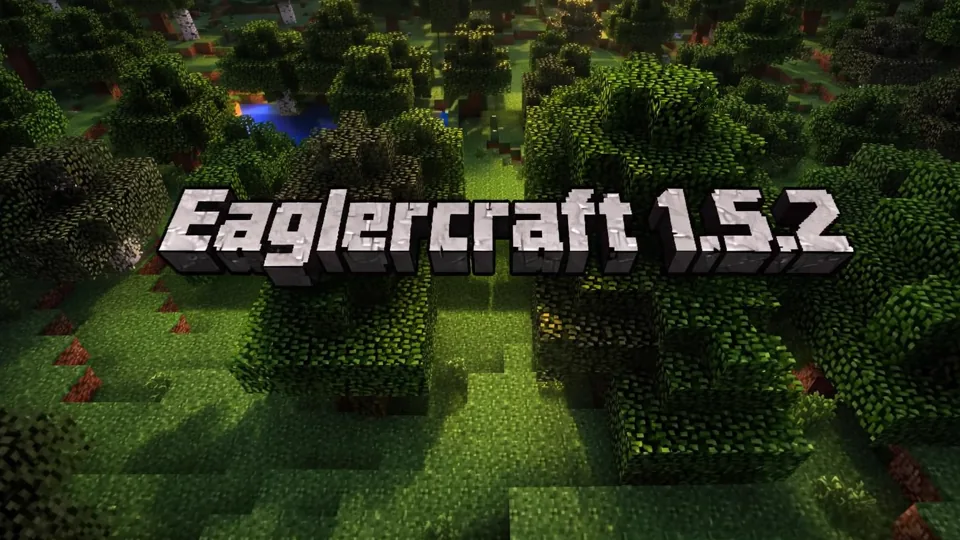
Eaglercraft 1.5.2 is a classic Minecraft-style build focused on lightweight survival, crafting, Redstone Update mechanics, quartz progression, and compatible server play.
Classic Survival Before the Feature Sprawl
Eaglercraft 1.5.2 is the older Minecraft survival rhythm with fewer modern layers in the way. It is tied to the Minecraft 1.5.2 era, so the core loop is familiar and direct: spawn into a block world, gather wood, craft early tools, find stone and coal, build a shelter, light the area, mine carefully, farm food, and turn a fragile first night into a stable base. The point is not novelty. The point is clarity.
This version sits before many later mechanics that changed how Minecraft feels. That makes Eaglercraft 1.5.2 a compact sandbox where fundamentals matter. Wood still defines the first minute. Stone tools still change pace. Coal still makes the difference between safe mining and blind wandering. Food still limits careless travel. A simple roof and torch line still feel meaningful when the first night arrives.
The version also carries the identity of the Redstone Update. Minecraft 1.5 arrived on March 13, 2013, and introduced or popularized a group of systems that made automation far more interesting: hoppers, droppers, redstone comparators, redstone blocks, trapped chests, weighted pressure plates, activator rails, daylight sensors, nether quartz, quartz blocks, scoreboard commands, improved inventory handling, and richer redstone logic. In Eaglercraft 1.5.2, that means the branch is not merely old. It is old in a useful way: simple survival wrapped around a strong early automation toolkit.
That version identity changes what a good world looks like. A basic shelter is still the first milestone, but the second milestone should not be only iron armor or a deeper mine. It can be a storage room with hopper-fed chests, a daylight lamp line, a trapped-chest alarm, a farm collection test, or a small comparator reader that proves the base is becoming more than a box. Later Minecraft versions add many more blocks, but 1.5.2 has a clean engineering core that is easy to understand because each redstone part has a visible job.
First Night, First Mine, First System
The first session should be practical. Move with the familiar keyboard-and-mouse rhythm, break and place blocks, keep the hotbar clean, and build a safe loop before chasing distant terrain. A good opening route is boring for the right reason: punch trees, make planks, craft a table, build wooden tools, mine stone, replace weak tools, find coal, make torches, and set a shelter near a recognizable landmark. Once that is done, the world becomes much less desperate.
The mistake in 1.5.2 survival is wandering too early. A distant cave or hill can wait. Without coal, food, or a marked return point, exploration becomes a tax on the first night. Better survival starts with a controlled base: a small shelter, a furnace, a chest, a torch grid, and a stair mine or nearby cave entrance. From there, every trip has a job. One trip finds iron. One trip expands food. One trip gathers wood. One trip tests redstone.
Creative mode changes the same version into a clean building lab. The block palette is smaller than later Minecraft, which can be a strength for compact structures and mechanism testing. Instead of drowning in decorative options, a builder can focus on shape, spacing, basic materials, and redstone function. Bridges, towers, starter villages, farm layouts, piston doors, item lines, and lamps all fit the era well.
Redstone practice should begin with small systems:
These experiments teach the 1.5.2 toolkit better than copying a giant machine immediately. The Redstone Update made item movement and signal reading more approachable, but the best builds still come from understanding small pieces first.
The cleanest early automation path is item flow. Start with a hopper feeding a chest. Add a dropper so items can be pushed out instead of only stored. Add a comparator so the machine reacts when the container has contents. Add a simple redstone clock only after the input and output make sense.
Do not rush past the small circuits. A hopper line teaches direction. A locked hopper teaches control. A comparator against a chest teaches measurement. A dropper teaches output. A daylight sensor teaches environmental input. A redstone block with a piston teaches movable power. Once those lessons are understood separately, a storage room, farm collector, item elevator, lamp system, or trap becomes a combination problem instead of a magic diagram.
Key Highlights
- A hopper line moving items into a chest.
- A dropper connected to a comparator so it fires only when it has contents.
- A trapped chest that sends a signal when opened.
- A daylight sensor lamp that changes with time.
- A weighted pressure plate test that reacts to item quantity.
- A redstone block and piston setup that moves power cleanly.
- A quartz-based comparator circuit that reads container state.
Why the Redstone Update Matters Here
Hoppers are the obvious star because they let items move between containers. That changes farms, storage, trash disposal, and collection systems. Droppers add controlled output. Comparators read how full a container is, which enables circuits that react to inventory state rather than only lever state. Trapped chests turn ordinary storage into a signal trigger. Daylight sensors let builds react to time. Redstone blocks can act as movable power sources when paired with pistons. Activator rails add minecart interactions.
Together, those blocks give 1.5.2 a distinct engineering feel. Earlier Minecraft versions had redstone, but this era made compact automation easier to understand. A beginner can build a simple item disposal system with a hopper, dropper, comparator, and clock. A map maker can create class stations, timed lamps, or score-related experiments. A survival player can make farms feel less manual without needing later-game machinery.
Scoreboard commands add another layer for custom maps and controlled challenges. They are not necessary for a normal survival base, but they show why 1.5-era Minecraft mattered beyond casual mining. A server or map can track values, reward objectives, or create rule-driven challenges in a way that fits the same engineering mindset as redstone: observe a state, react to it, and make the world respond.
Nether quartz is part of that identity. It is a material and a design signal: comparators and quartz blocks make the Nether matter. That turns progression into a practical path. Survive, mine, gear up, reach the Nether, gather quartz, return, and upgrade redstone options. The branch may feel simple, but it still has a clear arc from first shelter to automation workshop.
Quartz also improves building style. Quartz blocks create brighter structures than the early stone-and-wood palette, so a Nether trip can change both function and appearance. A player can return with comparator materials for machinery and decorative blocks for a laboratory, storage hall, or modern base facade.
The Nether trip should be treated as a planned expedition, not a casual errand. Bring armor, food, blocks, a way to mark the portal, and enough caution around lava and open ledges. Quartz is tempting because it is visible and useful, but the Nether punishes careless mining. The reward is worth it because one successful trip can unlock comparator work, daylight sensors, quartz decoration, and a more technical identity for the base.
Multiplayer requires compatible infrastructure rather than assuming every modern server will work. A matching 1.5.2 environment can support classic survival or PvP, but version mismatch and unsupported server setups will cause trouble. Treat server choice as part of the version decision. Eaglercraft 1.5.2 is best when the server, mechanics, and expectations all match the older branch.
Choosing 1.5.2 Over Later Branches
Eaglercraft 1.5.2 is not the branch of newest official mechanics, later 1.8 combat culture, or expanded feature sets found in newer Eaglercraft variants. That is the point. It is a lighter, older, more understandable sandbox built around survival fundamentals and Redstone Update systems without a heavier menu of modern options.
Compared with Eaglercraft 1.8.8, this branch is simpler and more focused on classic progression. Compared with 1.12.2-style branches, it sits much earlier in the block and mechanics timeline. The tradeoff is clear: fewer features, less modern polish, but more direct survival and a redstone era that still feels strong.
For the best experience, treat the first world as a base-building and mechanism-learning run. Secure wood, stone, coal, food, shelter, and light. Create a small mine, start a farm, then build a redstone corner and test one mechanism at a time. If the world matters, export it before changing devices or clearing local data.
A strong 1.5.2 learning path is clear: survive first, automate second, decorate third. A player who survives, reaches quartz, and then builds one small machine at a time gets the best version of this branch: classic survival with enough redstone power to make the base feel smart.