
Eaglercraft 1.8.8 Online
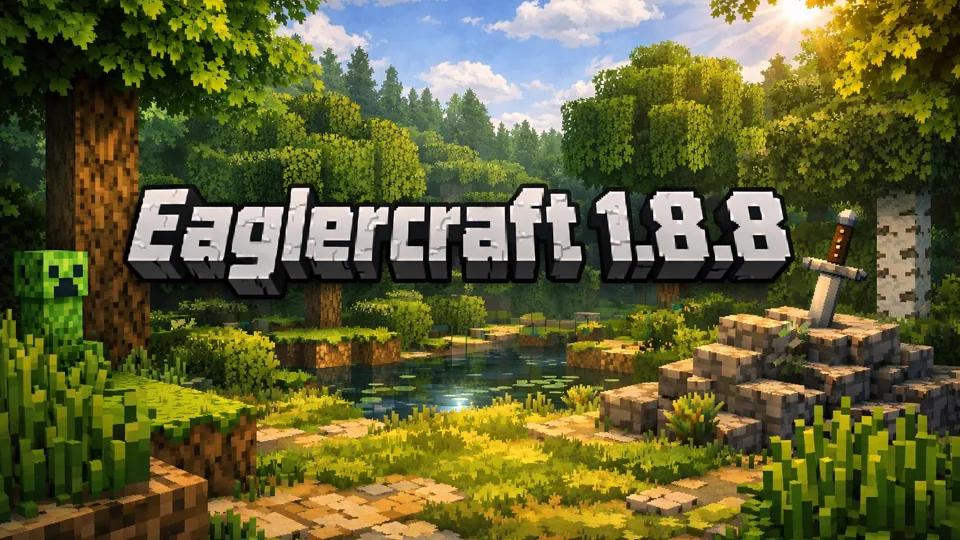
Eaglercraft 1.8.8 is the EaglercraftX build for Minecraft-style survival, 1.8 PvP servers, shared worlds, and resource-pack play.
EaglercraftX 1.8.8 Identity
Eaglercraft 1.8.8 is the EaglercraftX branch built around Minecraft 1.8-era sandbox play with stronger multiplayer, world handling, and session tools than older 1.5.2-style builds. It keeps the familiar Minecraft structure of mining, crafting, building, Creative mode, Survival mode, and server play, but the version identity is sharper: 1.8-style PvP, Shared Worlds, local singleplayer worlds, resource packs, and portable world management.
EaglercraftX 1.8 exists because the original Minecraft 1.8 experience has a long multiplayer life. Many players still associate this era with server PvP, hotbar discipline, sprinting, spacing, block placement, and fast inventory decisions. Eaglercraft 1.8.8 captures that older combat feel while adding portable world storage, imports, exports, and friend-session tools.
That 1.8 combat identity matters even outside formal PvP. Sprint control changes how quickly you can cross ground, close distance, or retreat. Bow pressure changes how open space feels. Blocks are not only building material; they are temporary cover, bridge pieces, and panic barriers. Food and armor management decide whether a risky cave trip, duel, or server fight is recoverable. The branch feels best when the hotbar is treated as part of movement rather than as a menu you open after danger arrives.
The important distinction is that Eaglercraft 1.8.8 should not be treated as just another block clone. It is an adaptation of a specific Minecraft era. The gameplay language is recognizably Minecraft: punch trees, craft tools, mine stone and ore, build shelters, manage food, fight mobs, place blocks, and join servers. The EaglercraftX layer adds how that experience is stored, shared, rendered, and connected.
Survival, PvP, Worlds, Transfers
The core loop starts with standard Minecraft habits. Move with WASD, jump with Space, use the mouse to look, open inventory with E, left-click to break blocks or attack, and right-click to place blocks or use items. The first few minutes should feel familiar to anyone who has played Java Edition. The difference is not the basic movement; it is the feature set around the world.
In Survival, the early path is practical. Gather wood, craft a workbench, make tools, collect food, mine stone, find coal, build shelter, and light the area before night pressure becomes a problem. Eaglercraft 1.8.8 does not change that foundation. It makes it easier to start and preserve smaller Survival worlds locally, which is why export habits matter.
Creative mode is the safer first stop for players learning a specific build. Unlimited resources and flight make it easier to test a house shape, bridge, tower, redstone idea, farm layout, or PvP arena. Because EaglercraftX supports local worlds, Creative can also become a serious build space rather than a disposable experiment, especially if the world is exported once the structure matters.
Multiplayer is where Eaglercraft 1.8.8 becomes especially distinct. Compatible servers can provide survival communities, PvP, minigames, and public worlds. The practical concern is simple: choose servers that explicitly support Eaglercraft or 1.8-style play, then treat ping, rules, and compatibility as part of the experience.
Shared Worlds give a different kind of multiplayer. A singleplayer world can be opened to friends through a join code. This is useful for small groups that want to build, test, or survive together without running a full public server. The host can configure game mode and cheats for joining players, and the session can feel closer to a private LAN-style world adapted to lightweight play.
The join-code structure also changes how a small group should plan. The host world remains the center, so the host should keep backups and choose clear rules before inviting others. Survival groups should agree whether the session is about mining, building, exploration, or PvP practice. Creative groups should decide whether players are testing structures, resource packs, or arena layouts. Shared play works better when the world has one purpose instead of five people pulling it in different directions.
World management is a major reason to choose 1.8.8 over older lightweight builds. EaglercraftX 1.8 supports local world saving, EPK import and export, and ZIP import or export for vanilla Minecraft 1.8-style worlds. EPK files are useful for moving Eaglercraft worlds between devices or sharing them. ZIP transfer is useful when working with old 1.8 maps. Any world that takes real time to build should be backed up before clearing local data or switching machines.
Resource packs add another layer. EaglercraftX 1.8 can import vanilla 1.8 resource packs as ZIP files and save them locally. This can change textures, improve readability, or restore a preferred look. Resource packs are not required to enjoy Survival or PvP, but they make the environment feel more personal and can help players used to a specific 1.8 visual setup.
Resource-pack testing should be done with restraint. Start with one vanilla 1.8-compatible ZIP and inspect common blocks, ores, mobs, GUI elements, and weapons before committing to a long world or server session. A texture pack that looks good in a screenshot can still make ores harder to read, PvP items less distinct, or dark caves less comfortable. The best pack is not only pretty; it preserves quick recognition.
Performance depends on the device and settings. Advanced lighting, heavy resource packs, larger render distances, and crowded multiplayer spaces can make the game feel heavier. In practice, lower visual extras first, then reduce render distance or move to a quieter world before judging the whole version.
Version Identity
Eaglercraft 1.8.8 is defined by the 1.8 era rather than the oldest classic branch. Compared with 1.5.2-style play, 1.8.8 usually feels more connected to the server and PvP culture many Minecraft communities remember: sprint hits, hotbar control, bow pressure, block placement, food management, armor decisions, and quick combat reads.
It also brings more modern world handling. Local singleplayer worlds, EPK exports, ZIP transfers, Shared Worlds, and resource packs make long-term Creative or Survival work more manageable. A small test build can become a real project because the world can be saved, backed up, and moved.
Newest Minecraft mechanics, modern combat updates, recent blocks, and full modded Java parity are outside the 1.8.8 identity. Eaglercraft 1.8.8 is valuable precisely because it is tied to the 1.8 era. That makes it lighter and familiar for classic PvP and older map compatibility, but expectations should stay aligned with that period.
For players choosing between Eaglercraft entries, the distinction is clear. Use 1.5.2 for a simpler classic branch. Use 1.8.8 for stronger EaglercraftX features, 1.8-style multiplayer, local worlds, Shared Worlds, resource packs, and more complete world transfer options. Use 1.12.2-style builds when the priority is a later version branch rather than 1.8 PvP familiarity.
Hotbar and Backup Habits
Start with a small local world before joining a crowded server. Gather wood, place a few blocks, open inventory, switch hotbar slots, and make a tiny shelter or test platform. If those basics feel comfortable, then move into Survival or multiplayer.
For Survival, prioritize wood, food, tools, shelter, torches, and a visible landmark near spawn. Do not waste the first day wandering without a way back. For PvP, organize the hotbar before fighting. Weapon, blocks, food, bow, tools, and utility items should be reachable without hesitation. A practical layout keeps the sword or main weapon in the first slot, blocks near movement keys, food in a familiar emergency slot, and the bow where it can be reached without looking down at the bar. The exact order is personal, but it must be consistent.
Export important worlds. Local storage is convenient, but it is not a backup plan. Use EPK exports for Eaglercraft worlds and ZIP transfers when working with vanilla 1.8-style maps. For Shared Worlds, use join codes for small friend sessions and keep relay settings consistent when connection problems appear.